01GemFit capability
Find a workout that fits your routine.
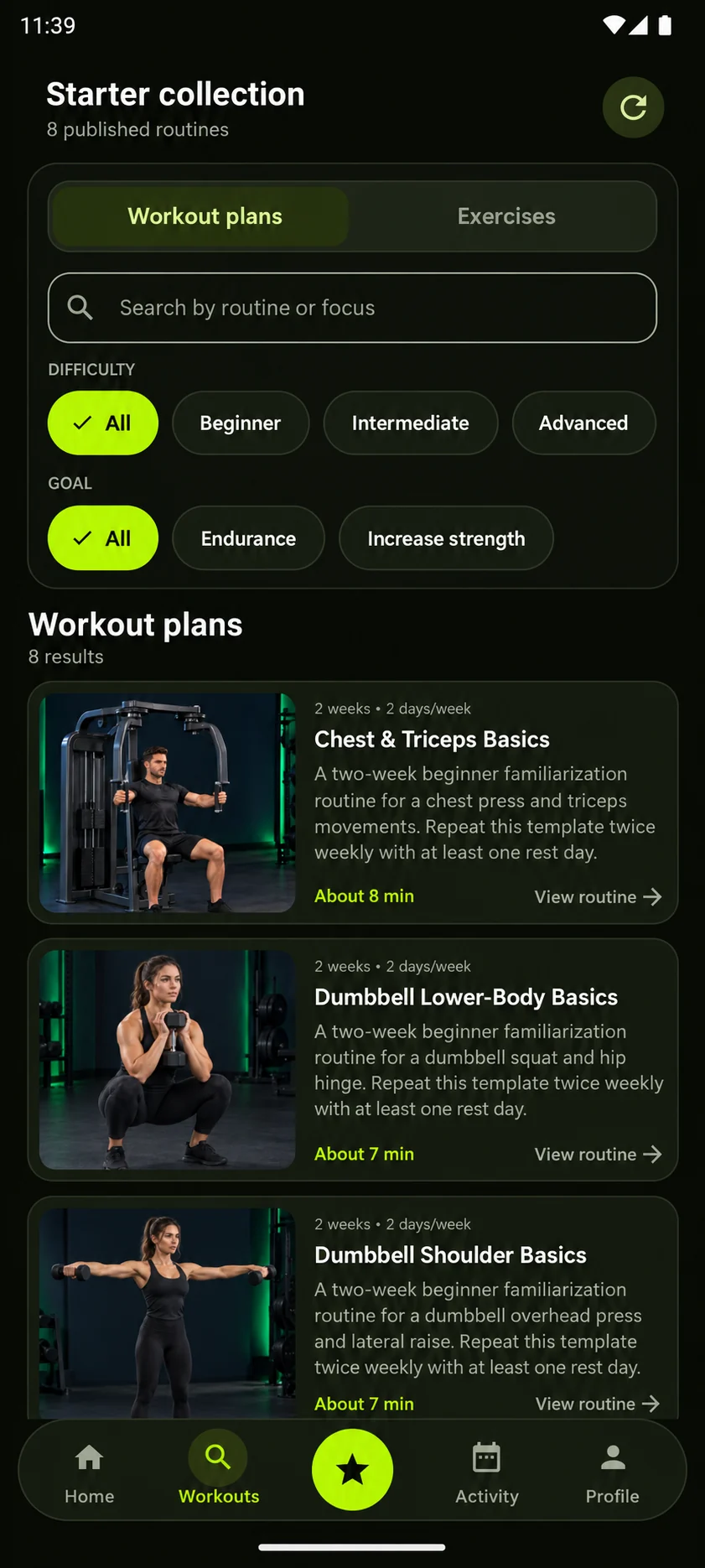
Browse workout plans and exercises, use the available search and filters, and open a routine that matches the way you want to train.

Fitness & Workouts
GemFit
Android · Pre-release
Explore guided workout routines, organize your training, follow exercises, and track your activity in one place.
GemFit is preparing for Google Play. No verified store link is available yet.
The GemFit experience
From discovery to completed activity, each step stays connected and easy to follow.
Browse routines and exercises in one focused library.
Review exercise guidance and workout requirements.
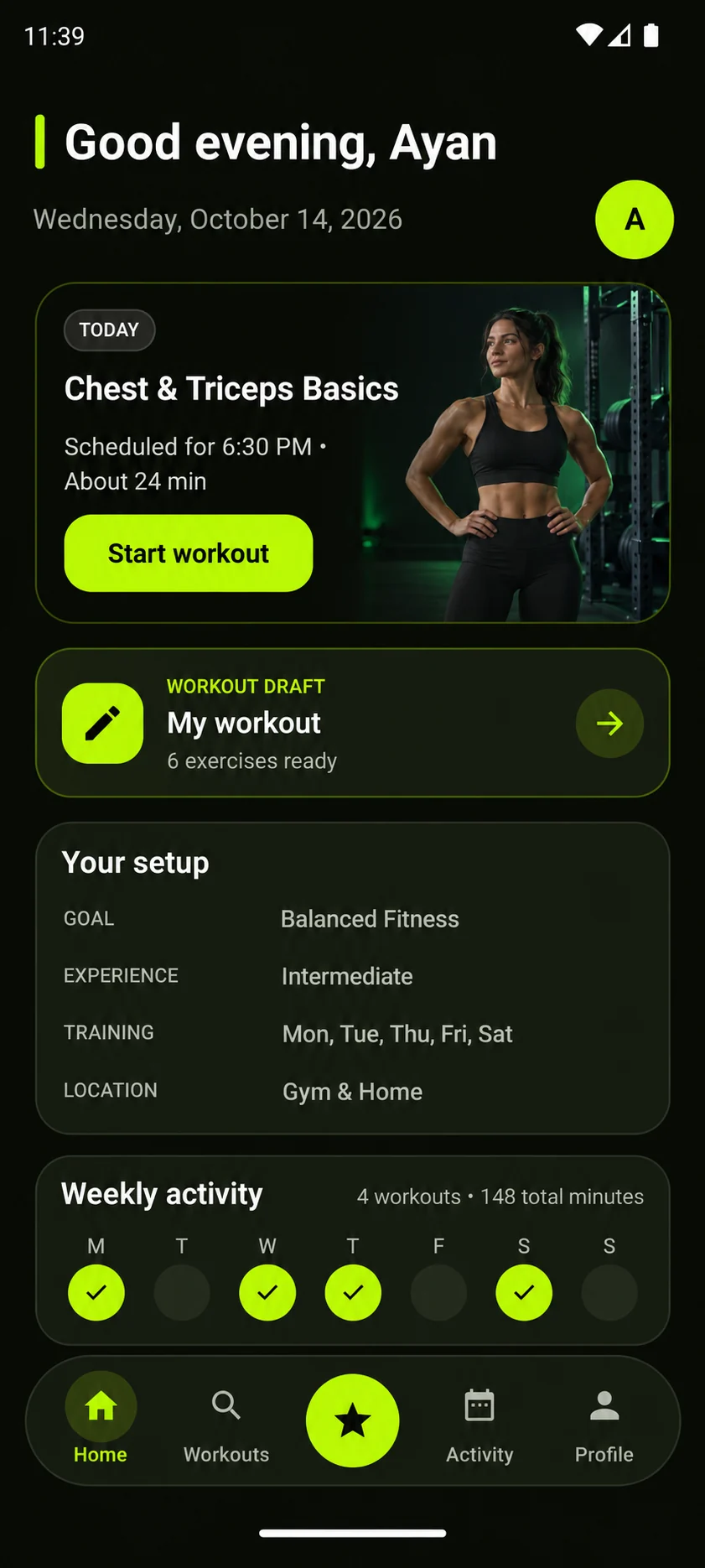
Organize planned training sessions.
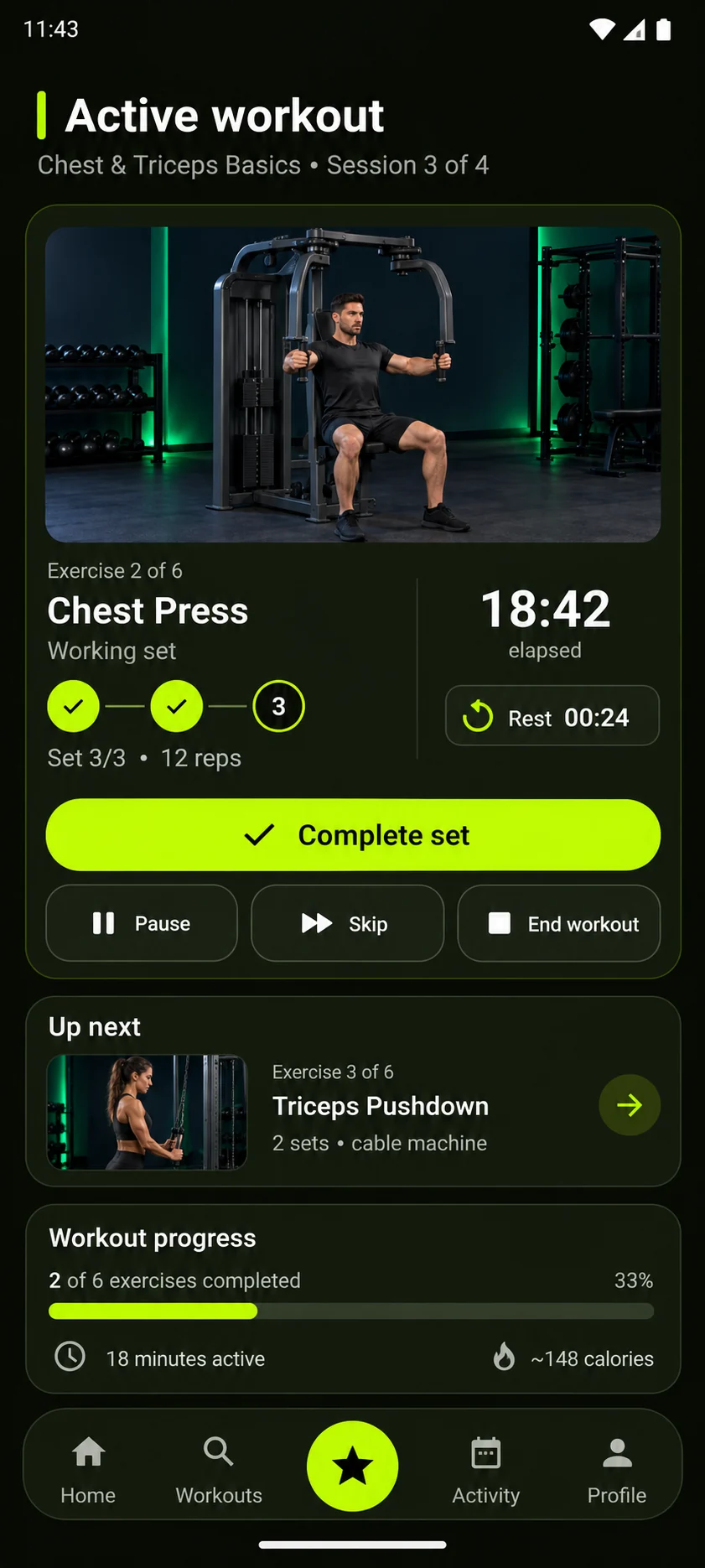
Follow sets, rest periods, and session progress.
Review completed workouts and weekly activity.
Inside the app
Browse workout plans and exercises, use the available search and filters, and open a routine that matches the way you want to train.
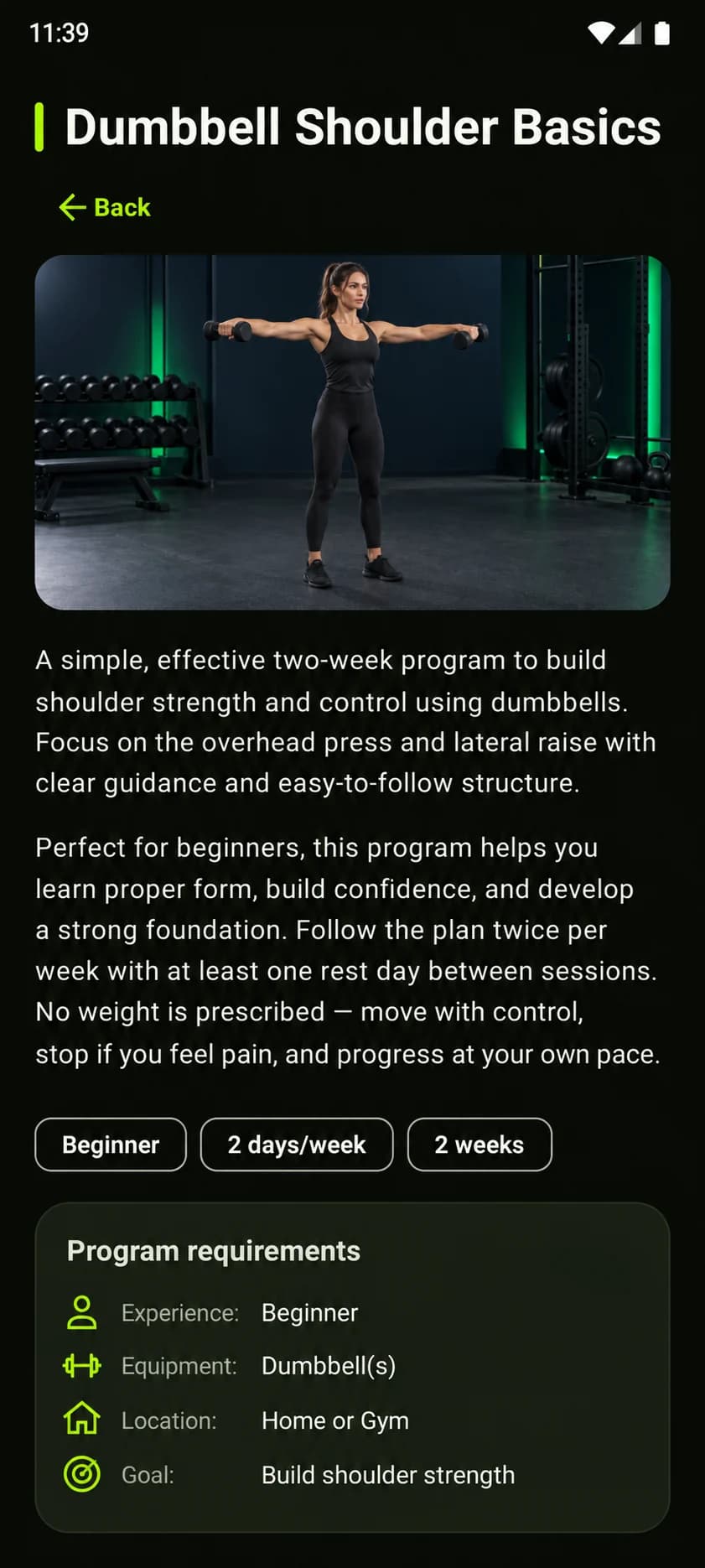
Review a routine’s structure, training frequency, duration, requirements, and focus before adding it to your plan.
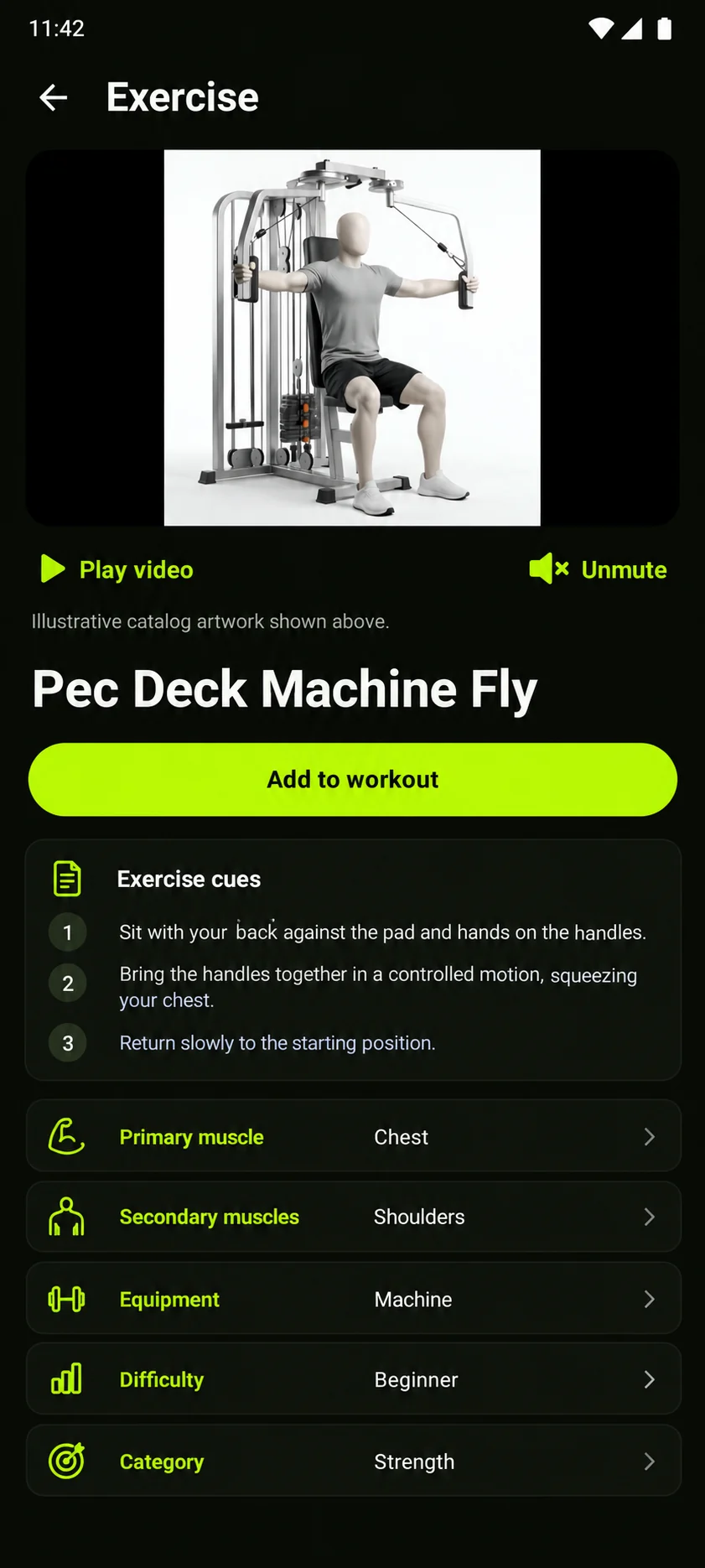
Read clear exercise cues alongside muscle focus, equipment, difficulty, and available exercise media.
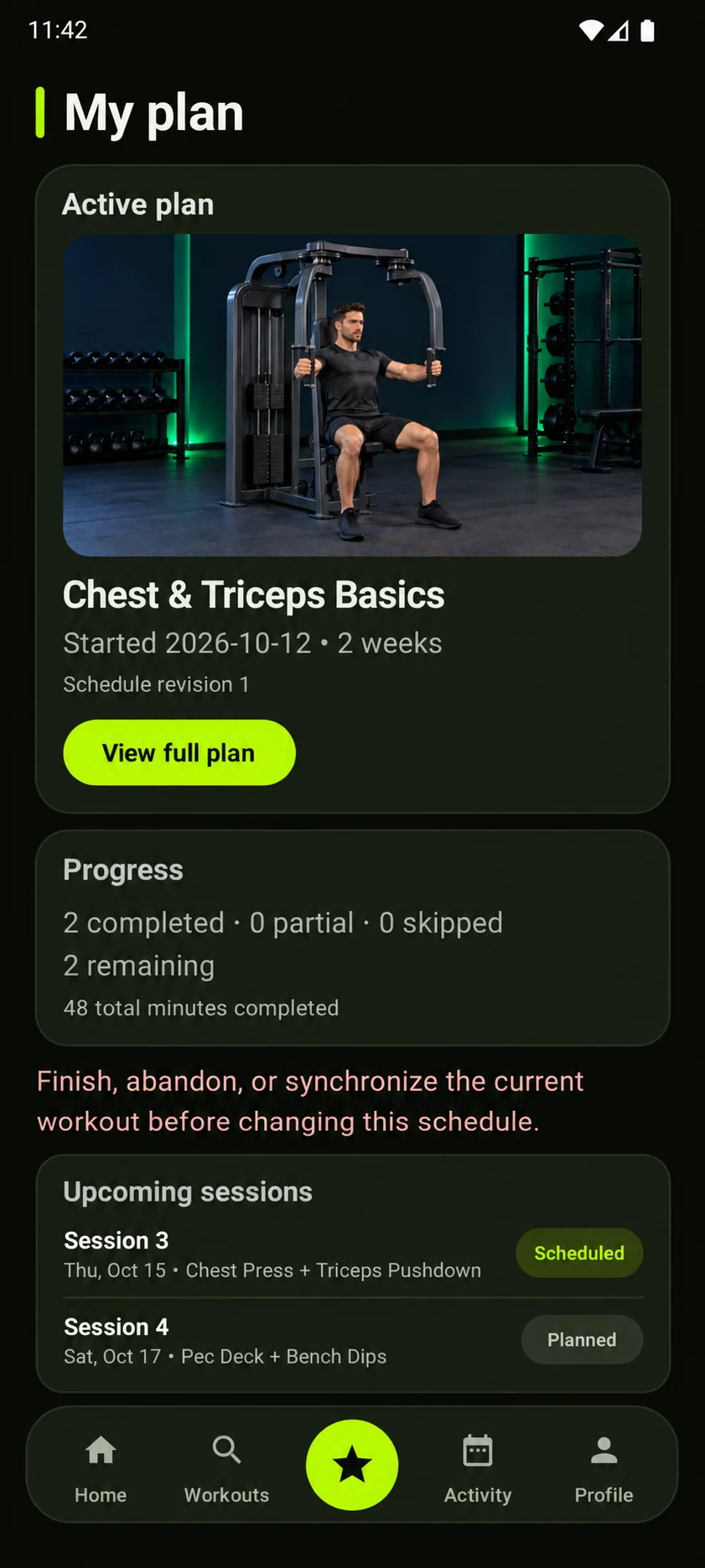
Follow a structured plan, see upcoming sessions, and keep completed and remaining work easy to understand.
Move through exercises and sets with visible rest timing, session controls, and workout progress.
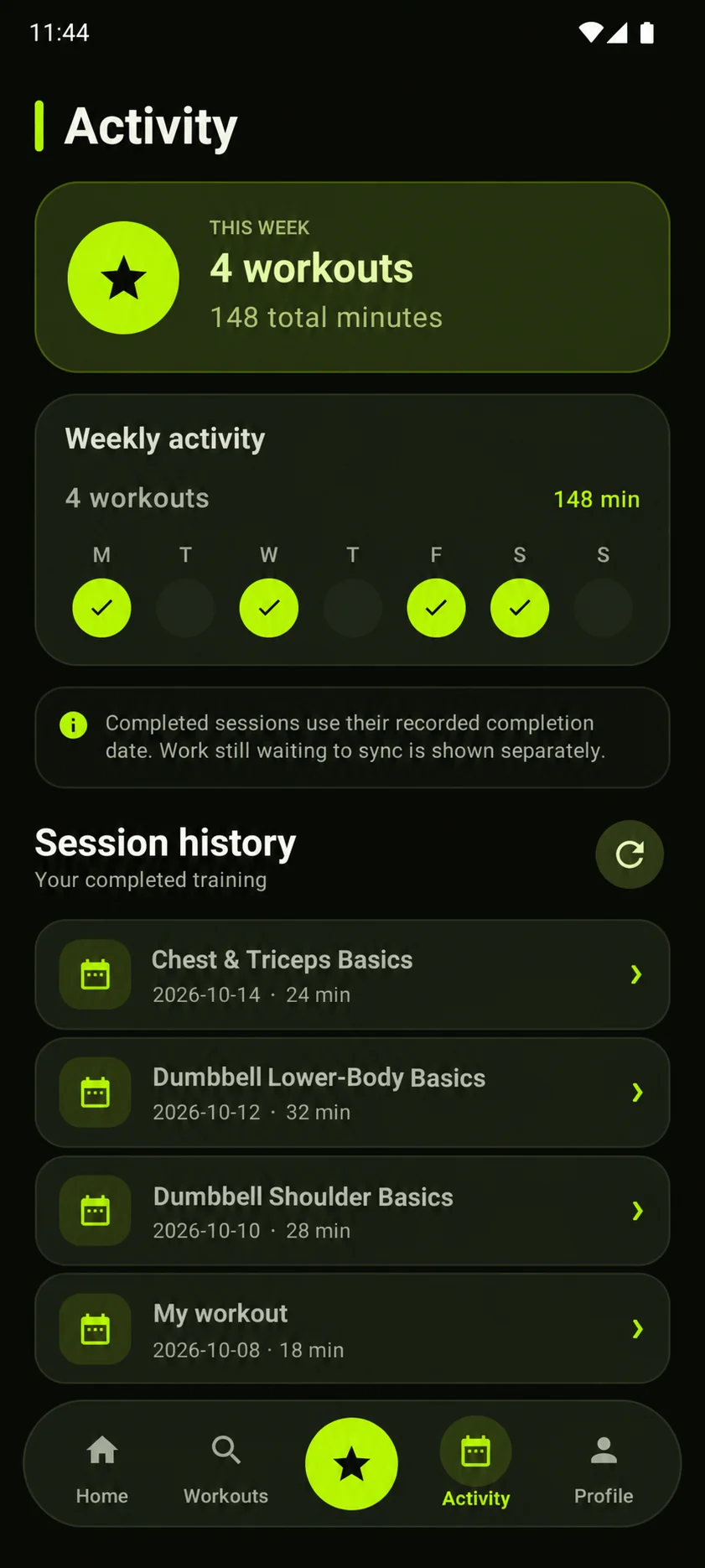
Review weekly activity, completed workout time, and the history of recorded training sessions.
Product screens
Eight approved interface screens, presented in their original artwork.
Questions
Clear answers based on GemFit’s current pre-release status and verified product details.
GemFit brings together workout browsing, exercise guidance, training plans, active workout tracking, and completed activity history.
GemFit is being prepared for Android. An official Google Play link will be added only after the listing is available and verified.
Not through this website yet. GemFit is in pre-release and Khanvex has not published a verified Google Play URL.
Support and policies
Review the current support, privacy, and account-management status in one place.
Android availability
The official download link will appear here after the Play listing is verified.